Relevant to:
- Admin Briq.app users
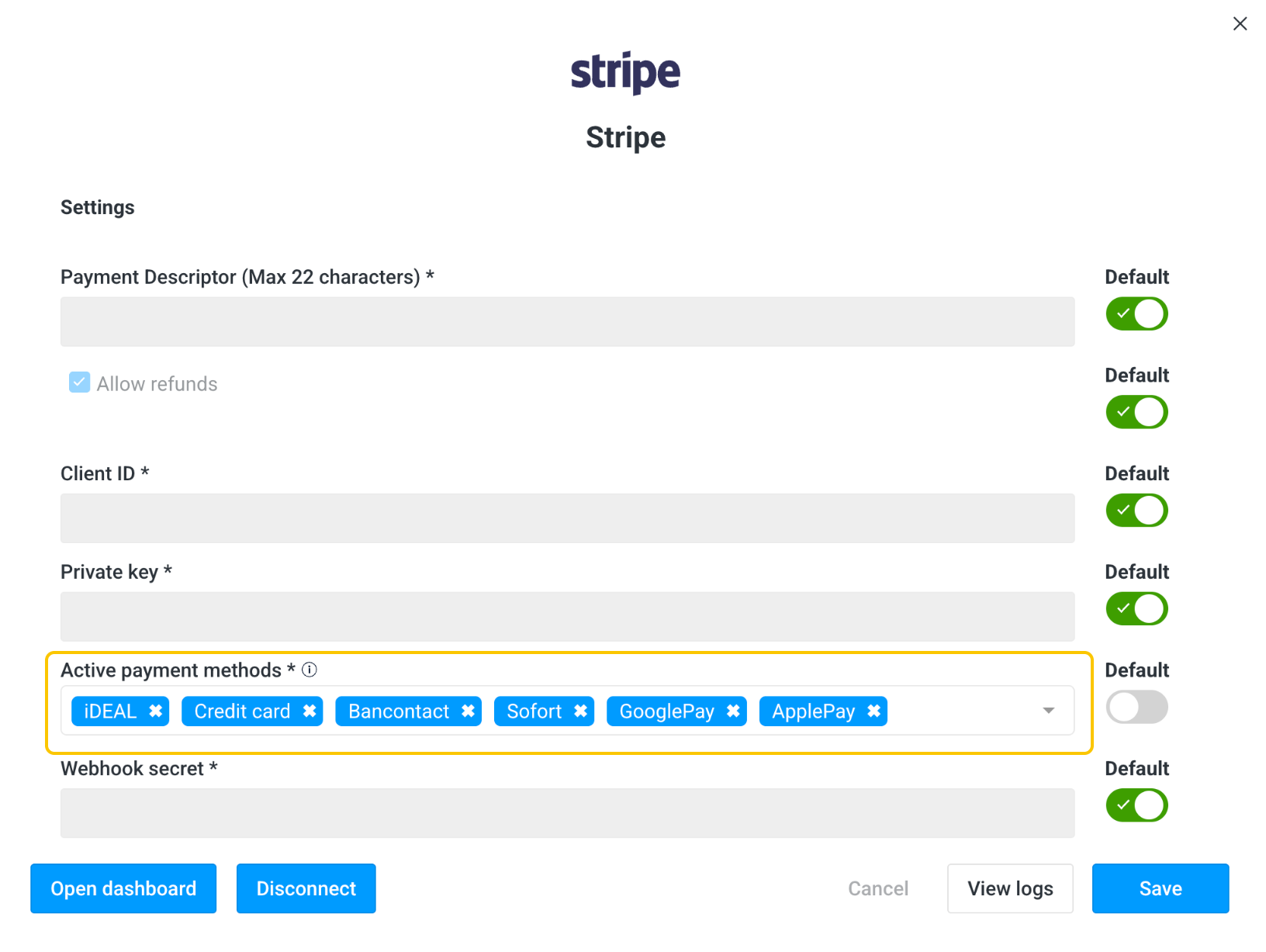
To be able to accept online payments in your webshop, you'll have to enable payment methods in Briq.app.
Briq currently supports the following payment methods:
- (Credit)Cards
- iDeal (Netherlands)
- Bancontact (Belgium)
- Sofort (Germany)
- Apple Pay
- Google Pay
To enable payment methods in Briq.app, follow these steps:
- Log in to Briq.app
- Click on Settings in the secondary menu
- Click on Integrations
- Click on Details on the Stripe tile
- Select the applicable payment methods under Active payment methods
- Click on Save
Should you have any questions about this topic, please do not hesitate to contact us at support@briqbookings.com or in the chat in Briq.app.
Was this article helpful?
That’s Great!
Thank you for your feedback
Sorry! We couldn't be helpful
Thank you for your feedback
Feedback sent
We appreciate your effort and will try to fix the article