Relevant to:
- Admin Briq.app users
Would you like to distribute vouchers or discount codes and enable your guests to validate them in your webshop? This is possible by using Voucherify and activating the integration with Briq. The only thing you need is an account with Voucherify & Briq.
Content of this article
- What is Voucherify?
- What is possible with this integration?
- Next steps
- Ideas for voucher campaigns
- Examples of validation rules
What is Voucherify?
Voucherify is a tool to create voucher and discount codes, including the possibility to add various validation codes. This means that you're able to decide in which situations the codes can be redeemed. Scroll down to see a couple of examples.
What is possible with this integration?
In Voucherfiy, you will create voucher and discount campaigns based on validation rules. Voucherify will sync your resources, products, and deals from Briq.app, so you can use this data when creating validation rules. This way, you can e.g. make a certain discount code only apply when a certain deal is booked. You can find more examples of validation rules later on in this article.
Once the codes are created, you can then distribute them to your customers. For example, via an email newsletter or a social media post.
When your customers purchase one of your deals in the webshop, they can enter their discount code in the same step as where they fill in their personal details. Briq will then automatically validate the voucher code with Voucherify and calculate the discount and the remaining balance.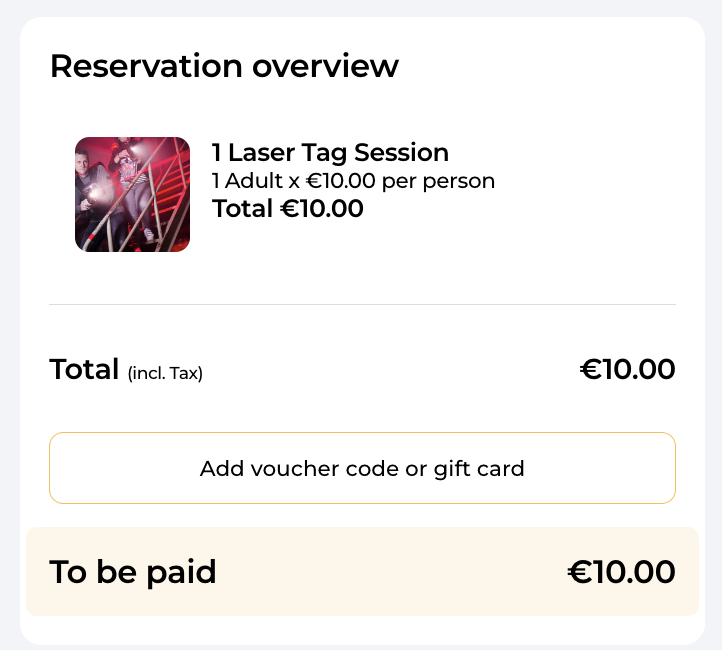
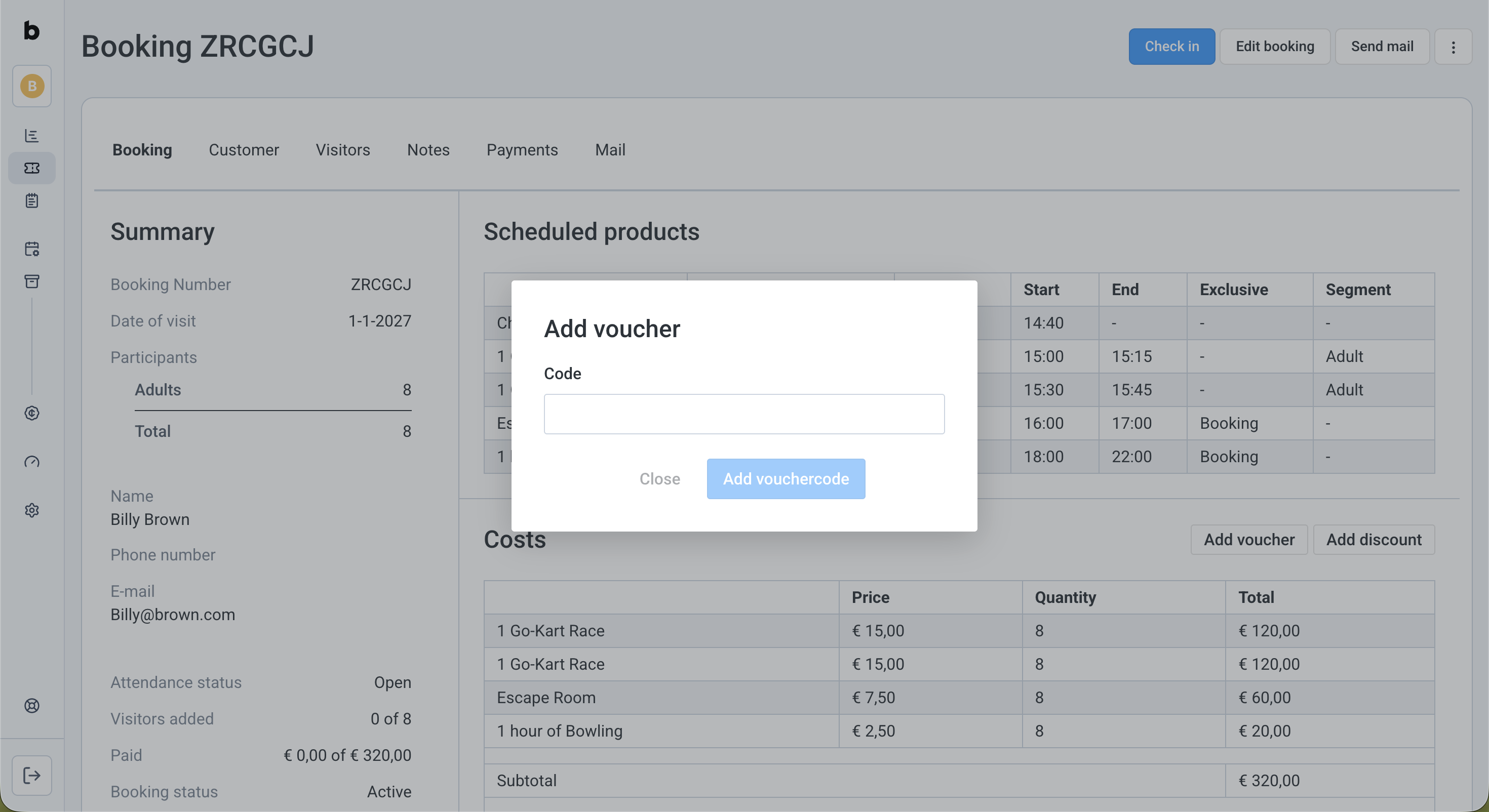
You can also apply a discount code from Voucherify to a booking in briq.app, by clicking on the ‘Add voucher’ button.
Next steps
When you have decided to get started with Voucherify, you can create an account here. You can also get a free 30-day trial to discover the possibilities. Learn more about Voucherify's pricing plans here. The free plan should be sufficient for little usage, but you may have to upgrade to the Startup plan when your usage hits the limit of the free plan.
Connecting Briq.app to Voucherify
Once you've created an account, you have to activate the integration of Voucherify in your Briq.app account. To connect Voucherify to Briq.app, you'll need the Application ID and Secret Key from your Voucherify account.
You can find these here:
- Log in to your Voucherify account
- Click on the username in the top right corner
- Click on Project Settings
- When you scroll down a bit, you will see Application keys. You can create a new key here that you'll use specifically for Briq, or use the ones that are already there.
Please note: when creating a new key, make sure to select the role of "User" instead of "Merchant".
When you have the Application ID and Secret Key by hand, go ahead and connect Voucherify to your Briq.app account:
- Log in to your Briq.app account
- Click on Settings
- Click on Integrations
- Click on Details on the Voucherify tile
- Click on the green Default button next to the Client ID field, and add the Application ID from your Voucherify account here
- Click on the green Default button next to the Private key field, and add the Secret Key from your Voucherify account here
- Click on the green Default button next to the Voucherify host field, and add the API endpoint from your Voucherify account here. You can find this in your Voucherify account:
- Log in to your Voucherify account
- Click on your username in the top right corner
- Click on Project settings
- On the General tab, scroll down until you see the API endpoint. This can look like this: https://api.voucherify.io
- Use this link for the Voucherify host field in Briq.app, but without the https://. In this example, the correct input is api.voucherify.io
- Log in to your Voucherify account
- Click on Save
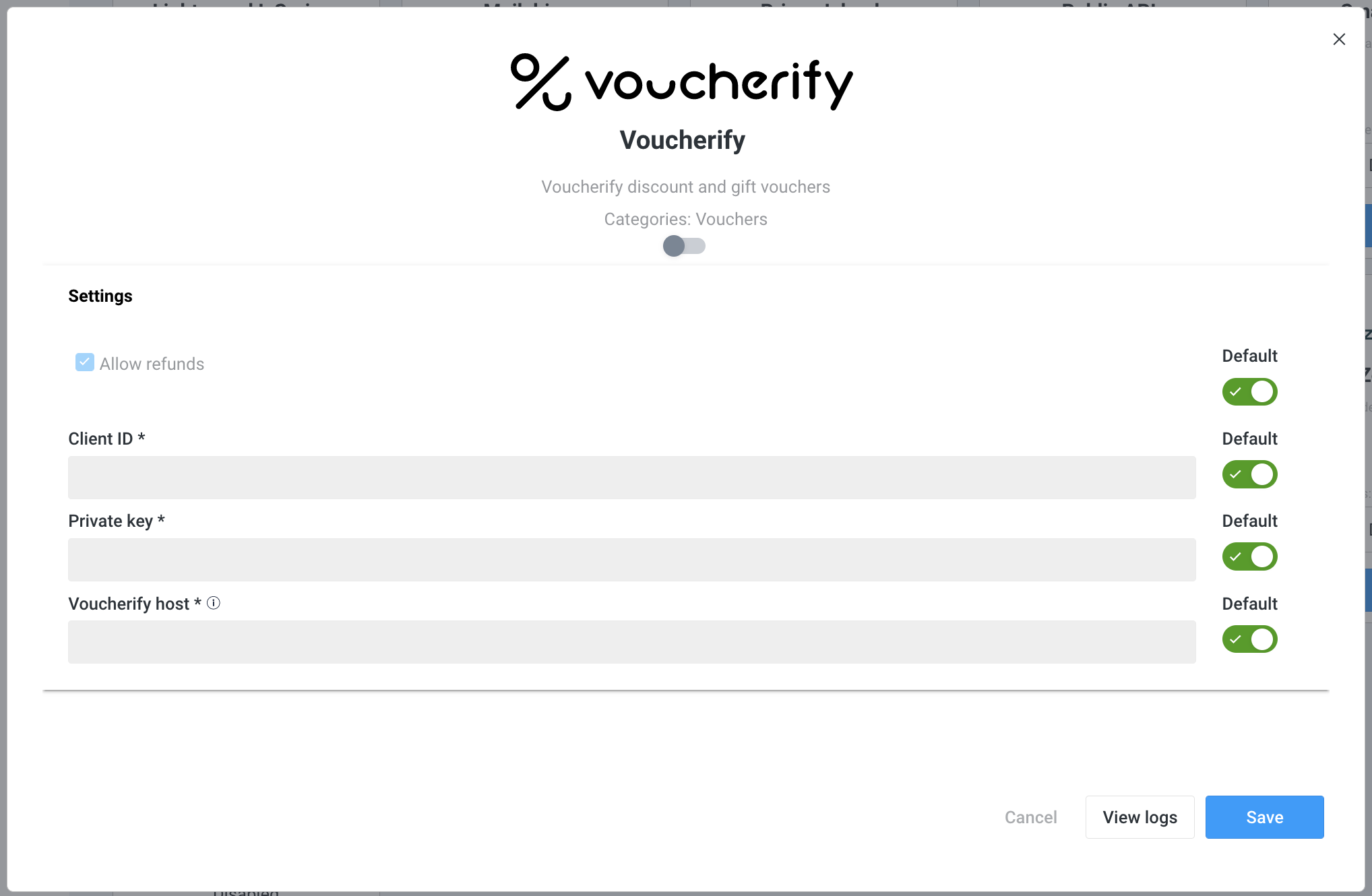
That's it! Your Voucherify account and Briq.app are now connected. In case you haven't worked with Voucherify before, it's now time to set up your account and create your first campaign. This user guide from Voucherify Support will help you get started.
Ideas for voucher campaigns
There are many ways you can use campaigns in Voucherify. Some examples are:
- 5% discount for people who subscribe to your email newsletter.
- Loyalty program - a week after a customer visited your venue, you can send an email with a 10% discount to use for their next visit.
- When the customer leaves a review, they get a 5% discount.
- On Black Friday, your customers can use a discount code of 20%.
Examples of validation rules
Validation rules decide when a discount code can be applied. Voucherify offers a lot of options for this. You can find all of them in your Voucherify account, but below you can find some examples.
- The discount code only applies when the customer buys a specific deal/product/resource.
- The discount code only applies in July and August.
- The discount code only applies when the order value is more than €100.
- The discount code only applies for bookings of more than 4 people.
- The discount code only applies for bookings that include 2 or more products.
- The discount code can not be redeemed more than 100 times.
Should you have any questions about setting up an account with Voucherfiy, you can always contact Voucherify's Support Centre and Department. If you’d like help with thinking of the best ways to create campaigns for your specific situation, please feel free to reach out to Briq Support. Good luck!
Was this article helpful?
That’s Great!
Thank you for your feedback
Sorry! We couldn't be helpful
Thank you for your feedback
Feedback sent
We appreciate your effort and will try to fix the article