Relevant to:
- Briq.app admin users located in the Netherlands
Would you like to sell gift cards to customers, and enable them to redeem these gift cards in your webshop? This is possible for our customers in the Netherlands via the integration with Gifty! The only thing you need is an account with Gifty and Briq.
Content of this article
What is Gifty?
Gifty is a tool for the sale, distribution, and registration of your own gift card. Your customers can purchase these gift cards 24/7 via your website or at your venue. When your customers purchase a gift card online, it will be delivered to their home address or sent via email. Gifty's dashboard provides you with real-time insights into all sold and redeemed gift cards for your administration.
In addition, Gifty offers a widget that you can implement on your own website, allowing your customers to easily purchase a gift card. Would you like to see what this widget looks like? Click here for more information.
What is possible with this integration?
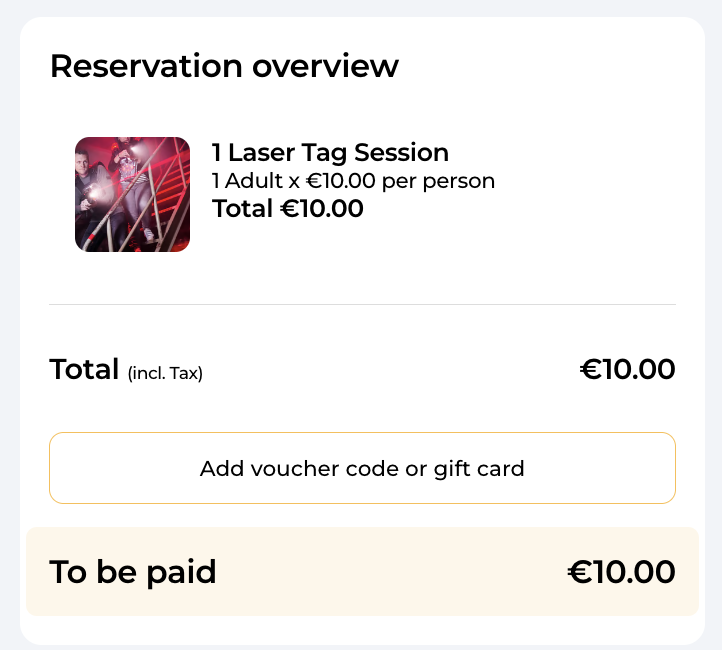
Your customers will buy the gift card on your website, which will be sent to them online or to their home address. The gift card includes a unique code. When your customers book one of your deals in the Briq webshop, they can enter this code in the same step where they enter their personal details, as you can see on the image below. Briq will automatically validate the discount code with Gifty, and then calculate the discount and remaining balance.
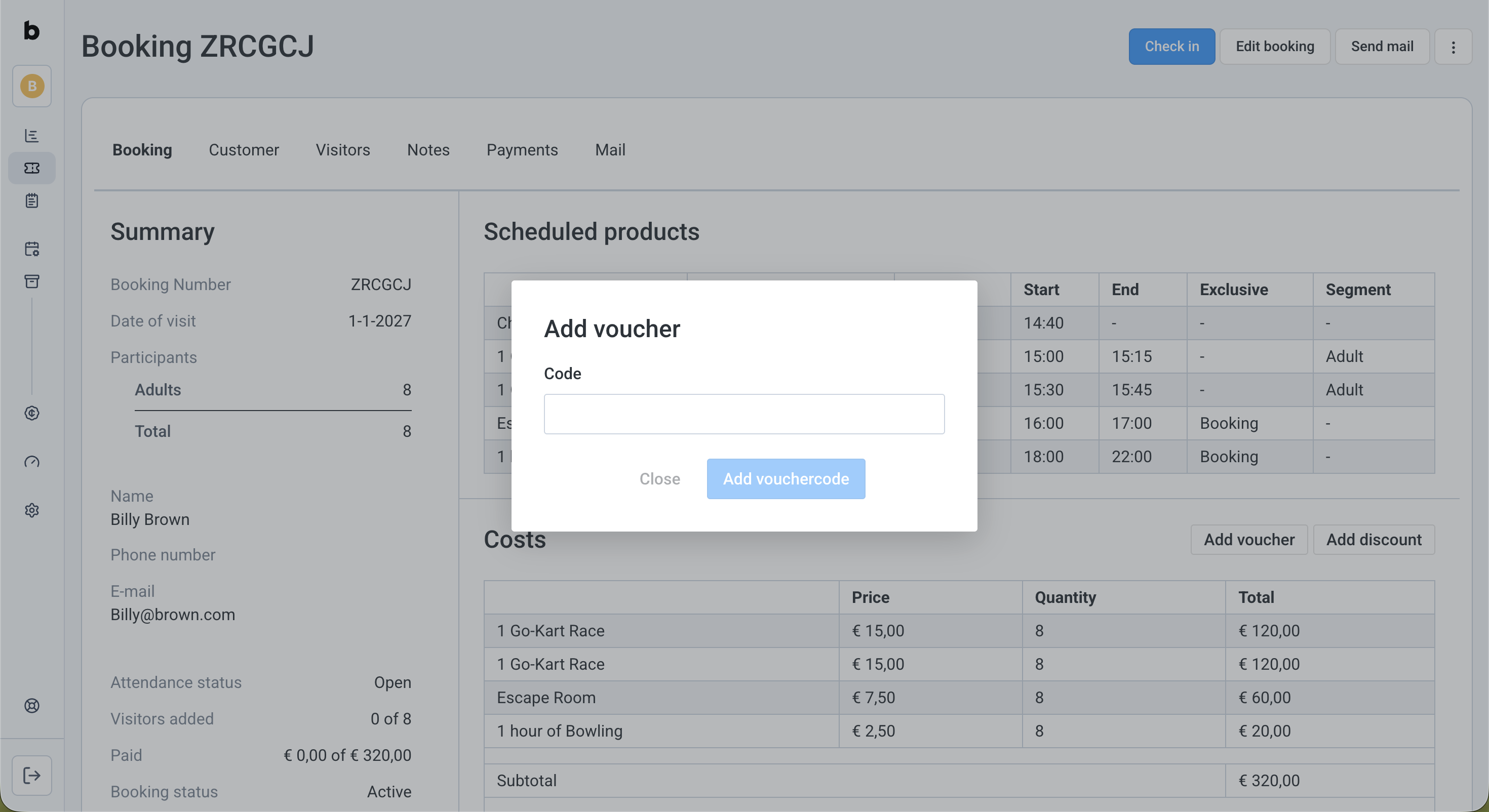
You can also apply a code from Gifty to a booking in briq.app, by clicking the 'Add Voucher' button.
Next steps
When you have decided to get started with Gifty, you can sign up for an account here. You can also request a trial package first, if necessary. Read more about the costs of the gift cards here.
Connecting Gifty to Briq.app
To connect Gifty to Briq.app, you need the Private Key for PSP. To find this Key, you can follow these steps:
- Log in to your Gifty account
- Click on Organization in the top-right menu
- Open the tab Developers
- Type 'Briq Bookings' in the field of 'Add application'
- The private key will now be displayed
When you know your Private Key, you can continue with the settings in your Briq.app account:
- Log in to your Briq.app account
- Click on Settings
- Click on Integrations
- Click on Details at the section of ‘Gifty’
- Fill in the private key for PSP
- Click on Save
That’s it! Your Briq.app account is now connected to your Gifty account. From now on, your customers can redeem your gift cards on your webshop. Good luck!
Should you have any questions about Gifty, you can contact their Support team here. Should you have questions regarding the integration, or if you'd like to discuss if this would be a good option for you, you can always contact Briq support via support@briqbookings.com or the chat in Briq.app.
Was this article helpful?
That’s Great!
Thank you for your feedback
Sorry! We couldn't be helpful
Thank you for your feedback
Feedback sent
We appreciate your effort and will try to fix the article