Relevant to:
- Admin Briq.app users
The Guestplan integration allows restaurant reservations made through Briq to be automatically synchronized with Guestplan. This enables your restaurant team to manage table assignments and seating using Guestplan while customers continue to book through Briq.
What is Guestplan?
Guestplan is a restaurant reservation management system that helps restaurants manage table reservations, floor plans, and seating capacity.
1. Connect Guestplan
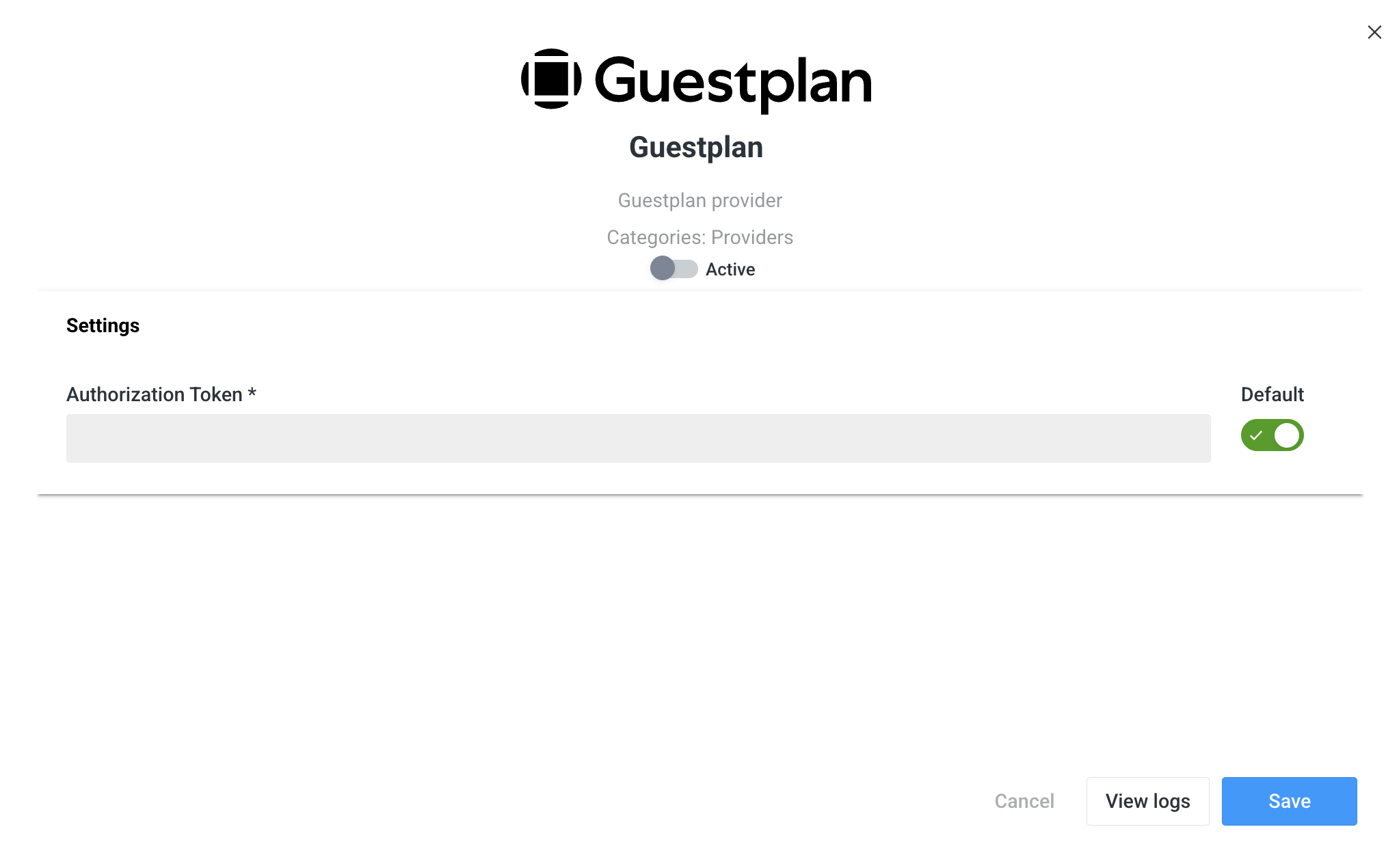
Briq includes a Guestplan integration that requires an authorization token.
You can request this token directly from Guestplan. Once the token has been entered in Briq (open Briq.app > Settings > Integrations > Guestplan > Enter your authorization token > Save.) select Refresh inventory to retrieve all restaurants associated with your Guestplan account. These restaurants will then become available for configuration within Briq.
2. Configure a resource
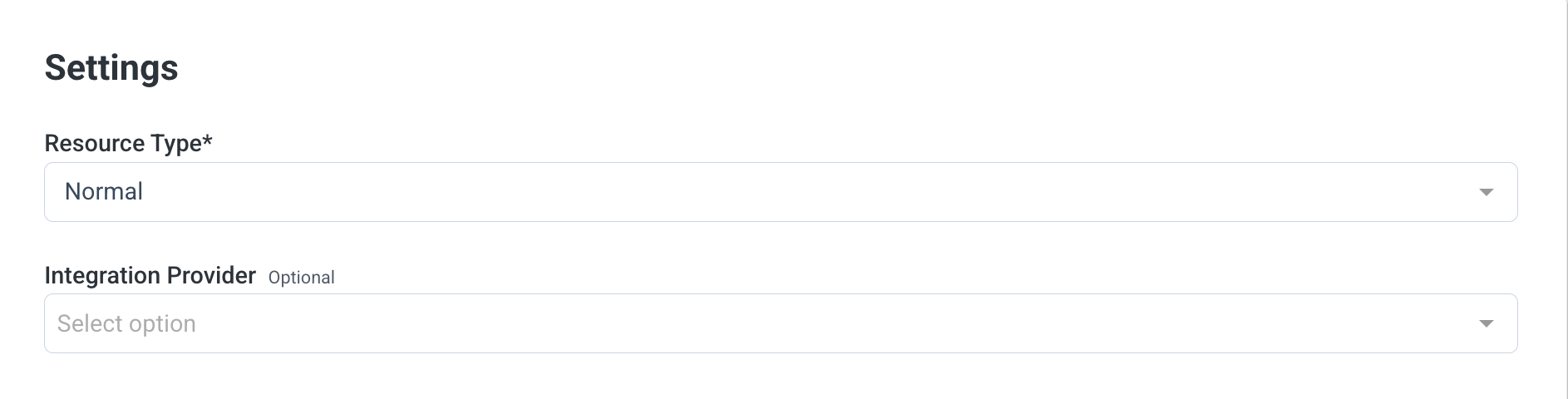
For each restaurant resource in Briq, you can select an Integration Provider (open Briq.app and navigate to Inventory > Resources. Open an existing resource or create a new one, then select Guestplan as the Integration Provider.)
When you choose Guestplan and select one of your Guestplan restaurants:
- Guestplan becomes responsible for managing the resource's availability and capacity.
- Any capacity settings configured for that resource in Briq are ignored.
- The resource can still be used like any other Briq resource by creating products and including them in deals or packages.
3. Creating reservations
When a customer makes a reservation through Briq, the reservation is only confirmed after Briq successfully verifies availability with Guestplan.
Once confirmed:
- The reservation appears in both Briq and Guestplan.
- The Briq booking reference is added to the reservation notes in Guestplan, making it easy to identify the corresponding Briq booking.
Reservations created through Briq remain editable in Guestplan. However, Guestplan does not send updates back to Briq. As a result:
- Changes made in Guestplan are not synchronized to Briq.
- Reservations should always be modified or cancelled from Briq to keep both systems aligned.
Important considerations
Capacity is based on group sizes. Guestplan manages availability based on supported group sizes, not simply on the number of remaining seats.
This can lead to situations where:
- The planboard displays the largest group size that can still be accommodated instead of the total number of available seats.
- A reservation for five guests may be rejected even if nine seats remain available, because Guestplan cannot accommodate a group of that specific size within the current table layout.
A reservation can only be completed if Guestplan can seat the requested group size.
Contact information
Guestplan validates email addresses and phone numbers more strictly than Briq.
To prevent reservations from failing because of validation differences:
- Briq sends placeholder values for the email address and phone number when necessary.
- The customer's actual phone number is included in the reservation notes in Guestplan.
The integration is one-way.
Reservations created in Briq are sent to Guestplan.
- Updates made directly in Guestplan are not synchronized back to Briq.
- Guestplan does not provide a mechanism to make Briq-created reservations read-only.
On the Briq planboard for Guestplan-managed resources:
- Only reservations created through Briq are displayed.
- Availability calculations do include reservations made directly in Guestplan.
This ensures that overbooking is prevented, even though not all Guestplan reservations are visible within Briq.
Should you have any questions about this topic, please do not hesitate to contact us at support@briqbookings.com or in the chat in Briq.app.
Was this article helpful?
That’s Great!
Thank you for your feedback
Sorry! We couldn't be helpful
Thank you for your feedback
Feedback sent
We appreciate your effort and will try to fix the article