The Point of Sale (POS) is the time and place where a retail transaction is completed.
So, in a shop, it is the place where you finalize your order and pay. Mostly the cash register.
Example Use case:
- Consumer books online
- When arriving on site the booking is checked by the front office employee
- Everything is set, and the booking is 'checked-in' and pushed to the Point of Sale
- The consumer pays any open bills
- If there payment already, the payment is transferred to the POS
- All on site revenue is combined with booking revenue
- Accounting uses the exports from the POS for financial handling
There are two concepts in Briq that are used to represent the Point of Sale integration: Product sync and Booking sync. For a user to be able to do the Product sync, a few simple steps will be needed first.
Product sync
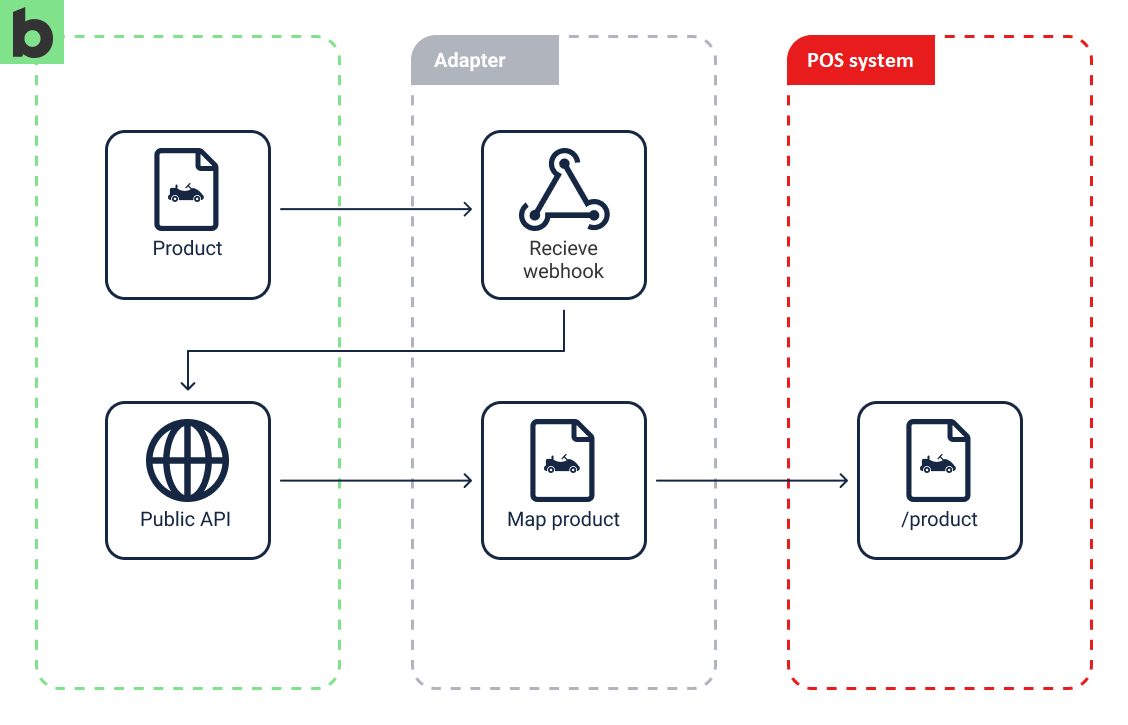
The first step is to do a pull on all the existing products. Use the Get all Products endpoint to fetch the data. After that whenever a product is created or modified, corresponding Webhook is sent. When a Webhook is sent, use the Get a product by key endpoint to get the product with a correct key. Depending on the Webhook Event, whether Created or Modified, the right action should be performed on your end.
Booking sync
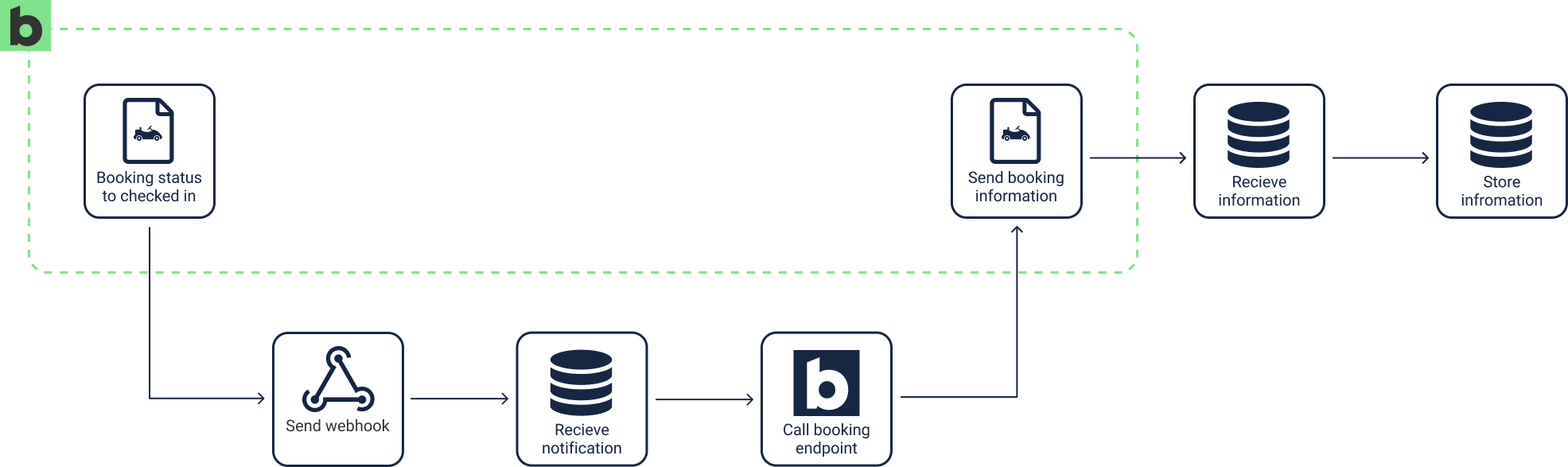
Booking sync is activated when visitors arrive at the venue and the Booking is marked as checked-in by the employee. When the booking attendance status is changed to Checked-in a Webhook notification message is sent to a configured endpoint. Then you can use our Booking endpoint to fetch the data about the booking.
Checked-in
Briq has a function that allows an employee to ‘check-in’ guests. These guests arrive at the FEC venue, the front office employee checks the booking and if everything is correct they check-in the booking by pressing the button in the Briq application.
This event is used as a starting point for the flow.
Note: This check-in functionality can be activated once per booking.
Was this article helpful?
That’s Great!
Thank you for your feedback
Sorry! We couldn't be helpful
Thank you for your feedback
Feedback sent
We appreciate your effort and will try to fix the article