Relevant to:
- Briq.app admin users
Would you like to sell gift cards to customers, and enable them to redeem these gift cards on your webshop? This is possible for our customers via the integration with Gift Up!. The only thing you need is an account with Gift Up! and Briq.
Content of this article
What is Gift Up!?
Gift Up! is a very easy way to sell gift cards online, as it's fully automated and handles everything from purchase to delivery. Gift Up! allows you to create gift cards with your branding & logo. Buyers can choose to have the gift card emailed instantly or schedule it for a special occasion. The recipient then receives an email in their inbox with a fully branded card they can either print, download, or save to their phone. You can view Gift Up!'s demo via this link.
The integration with Gift Up! gives you the opportunity to incorporate gift cards as part of your customer's online booking process. It allows for fixed value gift cards (e.g. €100) or custom value gift cards (whatever your customers choose) in any currency you want. Any created gift card is visible in the Dashboard of Gift Up! and there you can easily check the status and history of your created gift cards.
How does the integration work?
Gift Up! enables you to implement their drop-in checkout on your website. When your customers buy a gift card, they can choose to receive it via email or mail.
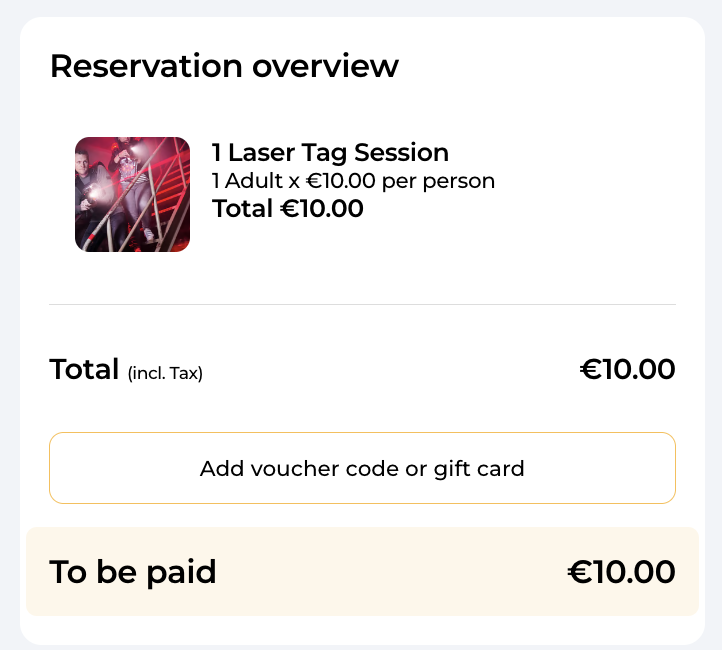
Each gift card includes a unique code. When your customers book one of your deals in your Briq webshop, they can enter this code in the same step where they enter their personal details, as you can see in the image below. Briq will automatically validate the discount code with Gift Up!, and then calculate the discount and remaining balance.
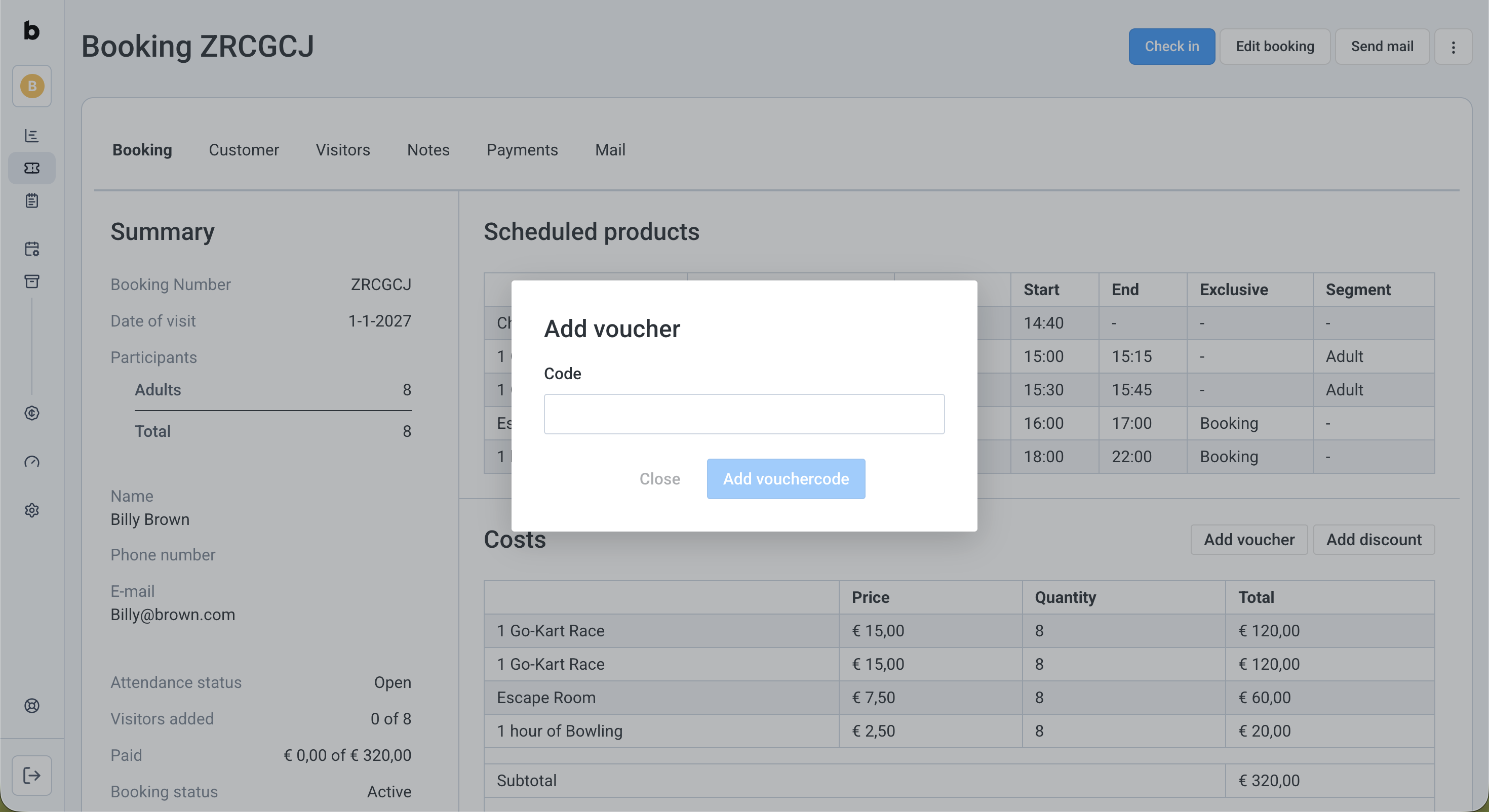
You can also apply a code from Gift Up! to a booking in Briq.app, by clicking the 'Add Voucher' button.
Next steps
When you have decided to get started with Gift Up!, you can sign up for an account here. Learn more about the costs of the gift cards here.
Connecting Briq.app to Gift Up!
- Log in to your Briq.app account
- Click on Settings
- Click on Integrations
- Click on Details on the Gift Up! tile
- Enable the integration by clicking on the toggle under the logo
- Disable the toggle of the API key by clicking on the green button on the right, and enter your API key
- How do you get this API Key?
- Create a new API Key
- Add a name to the new key you are creating (optional)
- Create API Key
- Copy it and paste it into the API Key field in Briq app
- Update the ‘Allow refunds‘ setting depending on if you want to allow gift card refunds or not.
Please note: If you choose to allow refunds by means of the gift card, contact Briq Support to have this option confirmed via an extra setting. - Click on Save
Creating gift cards in Gift Up!
When you've integrated Gift Up with your Briq.app account, it's time to create gift cards! Click here for an article from Gift Up that takes you through this process step-by-step.
Should you have any questions about this topic, please do not hesitate to contact us via support@briqbookings.com or in the chat in Briq.app.
Was this article helpful?
That’s Great!
Thank you for your feedback
Sorry! We couldn't be helpful
Thank you for your feedback
Feedback sent
We appreciate your effort and will try to fix the article