Integrating with Briq makes work easier for operators and reduces human introduced errors. This ‘Operator’ use case is aimed at software used by FECs to run their operations. This includes timing and scoring systems for activities. If booking details need to be synced from Briq to operational tools, this use case demonstrates the recommended flow.
Example Use case:
- As a visitor I arrive at the venue
- Tell the names of the participants to the employee
- Names are filled in under the visitors tab
- Booking is marked as checked-in by the employee
- The names are automatically put in the correct time slots in the operator software
- In case a merchant has multiple activities:
A visitor should only mention their name once when checking into a venue
- The information should be transferred for multiple systems and multiple heats
- There are two approaches on how to use the Operator Integration scenario.
Webhook flow
- Booking status is changed to checked in
- Webhook is sent to a configured endpoint
- Use the Booking endpoint to fetch the data.
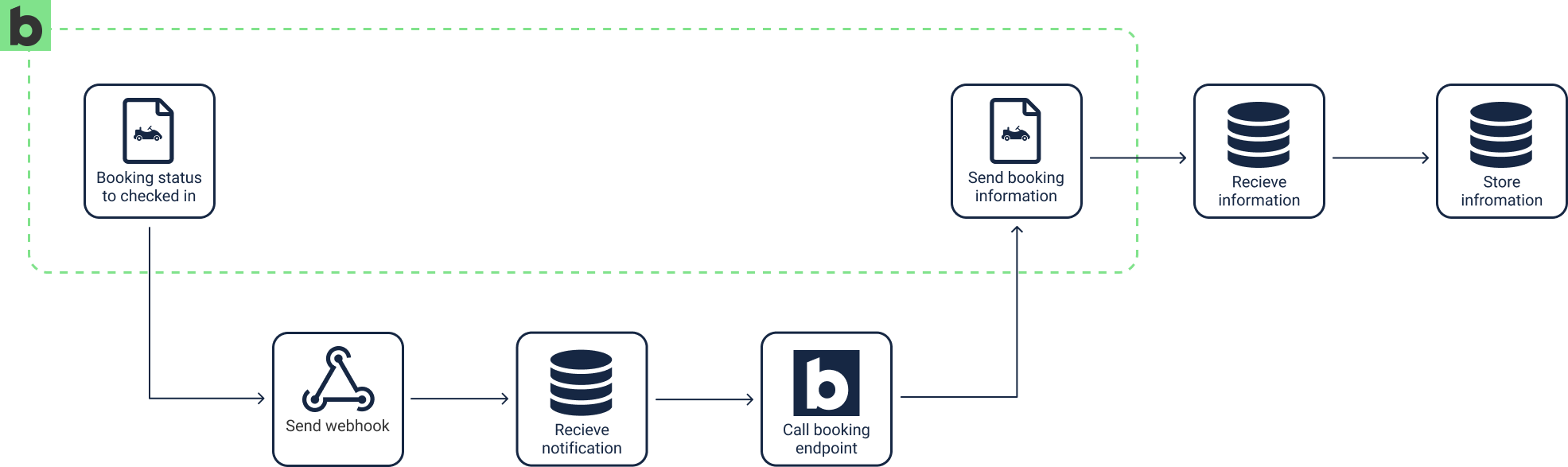
Note: Check-in
Briq has a function that allows an employee to ‘check-in’ guests. These guests arrive at the FEC venue, the front office employee checks the booking and if everything is correct they check-in the booking by pressing the button in the Briq application. This event is used as a starting point for the flow.
Note: This check-in functionality can be activated once per booking.
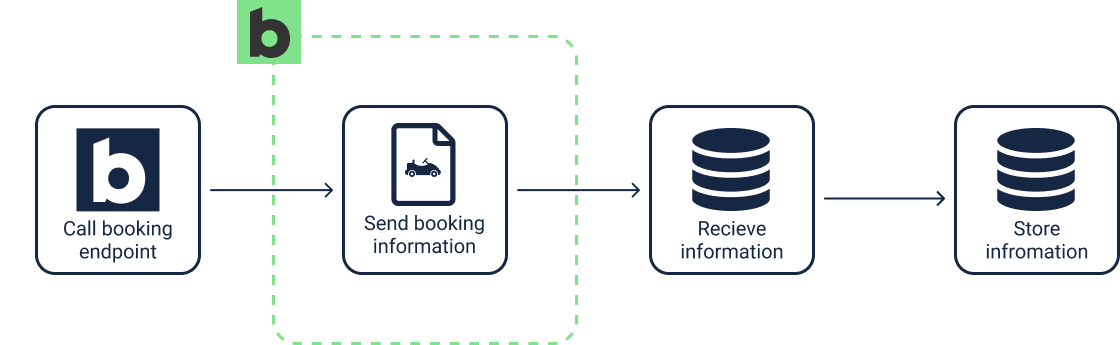
Fetch the data by Booking number
Use the Booking endpoint to fetch the data by Booking number.
Was this article helpful?
That’s Great!
Thank you for your feedback
Sorry! We couldn't be helpful
Thank you for your feedback
Feedback sent
We appreciate your effort and will try to fix the article